Top Data Analytics Interview Questions in Kolkata (2026 Guide for Freshers)
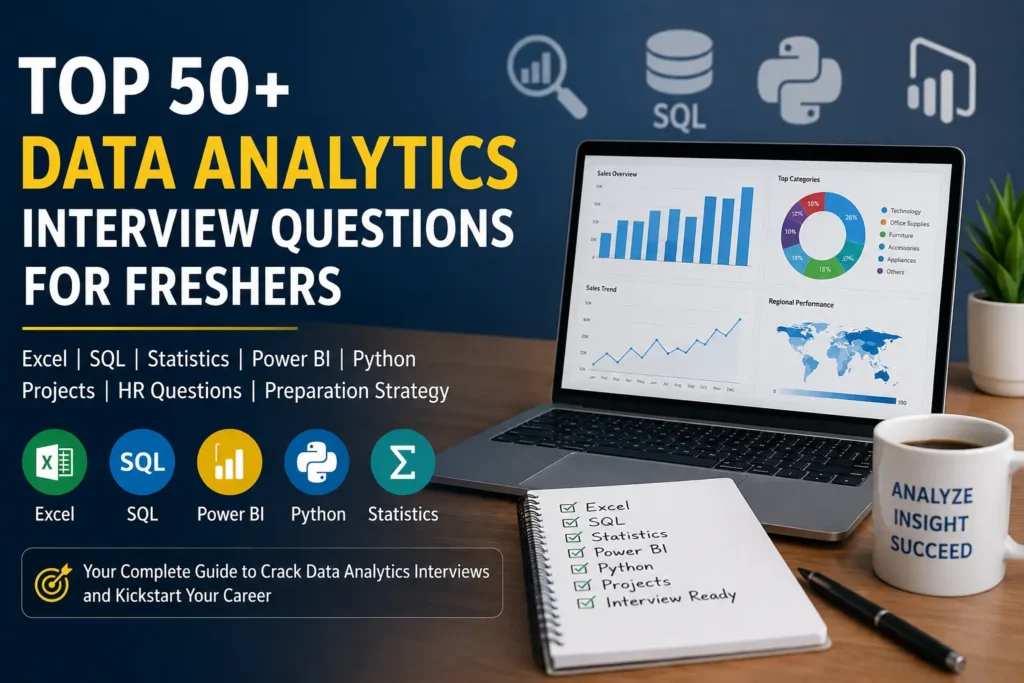
Preparing for your first Data Analytics interview in Kolkata can feel overwhelming. Many freshers spend months learning Excel, SQL, Power BI, and Python, but often struggle to answer practical interview questions confidently. Based on our experience mentoring learners over the last 25 years, we have compiled the most frequently discussed interview questions along with practical answers that recruiters commonly expect.
Most learners focus heavily on tools but spend very little time preparing for practical interview discussions. Recruiters are rarely interested in whether a candidate can merely define a function or explain a formula. Instead, they want to understand how candidates approach business problems, analyze data, communicate insights, and apply their knowledge in real-world situations.
This guide has been created for learners preparing for their first analytics job interview and professionals getting ready for junior data analyst roles. The questions included here are based on common interview patterns observed across companies hiring for analytics, reporting, business intelligence, and junior data analyst roles.
Whether your goal is to secure your first analytics job, improve your confidence during interviews, or build a long-term Data Analytics Career, these practical questions and answers will help you prepare more effectively and understand what recruiters actually expect from aspiring data professionals.
If you are planning to build a long-term career in analytics, you may also explore our Practical Data Analytics Training in Kolkata program covering Excel, SQL, Statistics, Power BI, Python, Projects, and Interview Preparation.
What Recruiters Look For in a Data Analyst Interview?
Many candidates preparing for Analytics Interview Questions for Beginners believe that recruiters primarily test technical knowledge. While technical skills are important, experienced interviewers often focus on something deeper.
They want to understand whether a candidate can use data to solve business problems.
During a typical Entry-Level Data Analyst Interview, recruiters generally evaluate candidates in five key areas:
Excel Skills
Recruiters expect candidates to work comfortably with formulas, Pivot Tables, lookup functions, conditional logic, dashboards, and data cleaning techniques. Strong Excel fundamentals remain one of the most important Data Analytics Skills for freshers.
SQL Knowledge
Most organizations store business data in databases. Therefore, Data Analyst Interview Questions frequently include SQL concepts such as filtering, grouping, joins, subqueries, and aggregations.
Analytical Thinking
Recruiters often present business scenarios rather than direct technical questions. They want to see how candidates approach a problem, identify patterns, and arrive at conclusions using data.
Communication Skills
A successful analyst must communicate insights clearly to managers, stakeholders, and business teams. Candidates who can explain their thought process effectively often perform better during interviews.
Project Experience
Many hiring managers pay close attention to Data Analytics Projects because projects demonstrate practical application of knowledge. Even simple projects can significantly strengthen a candidate’s profile when explained properly.
One important observation from years of mentoring students is that recruiters rarely hire candidates simply because they know tools. They hire candidates who can combine technical knowledge, analytical thinking, and communication skills to solve business problems.
Excel Interview Questions
1) What is a Pivot Table and why is it important?
A Pivot Table is an Excel feature used to summarize large datasets quickly without writing complex formulas. Recruiters frequently ask this question because Pivot Tables are widely used in reporting and business analysis.
A Pivot Table allows users to group, summarize, filter, and analyze large amounts of data. It is commonly used to calculate totals, averages, counts, and trends for business reporting.
2) What is the difference between VLOOKUP and XLOOKUP?
This is one of the most common Data Analyst Interview Questions because lookup functions are heavily used in reporting.
VLOOKUP searches only from left to right and requires a column index number.
XLOOKUP is more flexible because it can search in both directions, handle errors more efficiently, and work with dynamic ranges.
3) What is the difference between COUNT, COUNTA, and COUNTIF?
COUNT counts only numeric values.
COUNTA counts all non-empty cells.
COUNTIF counts cells matching a specified condition.
4) A report total suddenly changes after refreshing data. How would you investigate it?
I would compare the new dataset with the previous version, check for duplicate records, review filters, verify source data changes, and validate Pivot Table calculations to identify the cause.
5) What is the biggest reporting mistake analysts make while using Excel?
Many analysts focus on creating charts and dashboards without validating the underlying data. A visually attractive dashboard built on incorrect data can lead to poor business decisions.
6) What is the difference between SUMIFS and SUMPRODUCT?
This is one of the more advanced Excel Interview Questions frequently asked during analytics hiring.
SUMIFS is used to add values based on multiple conditions.
SUMPRODUCT can perform complex calculations across arrays and is often used when multiple logical tests need to be evaluated simultaneously.
Recruiters ask this question to determine whether candidates understand advanced Excel Data Analysis techniques.
7) When would you use INDEX + MATCH instead of VLOOKUP?
INDEX + MATCH is generally preferred because:
- It works in both directions.
- It is more flexible than VLOOKUP.
- It performs better on large datasets.
- Columns can be inserted without breaking formulas.
Many experienced analysts prefer INDEX + MATCH for Business Reporting in Excel.
8) What is the difference between a Pivot Table Calculated Field and a Normal Formula?
A normal formula works outside the Pivot Table.
A Calculated Field performs calculations within the Pivot Table itself and updates automatically whenever the Pivot Table is refreshed.
This is commonly used while creating Excel Dashboard Skills for management reporting.
9) What happens if duplicate values exist while using VLOOKUP?
VLOOKUP always returns the first matching value it encounters.
Many candidates incorrectly assume it returns all matching records.
Understanding this limitation is important for accurate Excel Data Analysis.
10) What is the difference between COUNTIFS and SUMIFS?
COUNTIFS counts records meeting specific conditions.
SUMIFS adds numerical values meeting specific conditions.
This question tests practical Excel Functions for Data Analytics knowledge.
11) How would you identify duplicate records in a dataset?
Duplicate records can be identified using:
- Conditional Formatting
- COUNTIF Function
- Remove Duplicates Tool
- Power Query
Recruiters often ask this because data cleaning is an important part of Excel Skills for Data Analysts.
12) What is Power Query and why is it useful?
Power Query is an Excel feature used for:
- Data extraction
- Data transformation
- Data cleaning
- Data preparation
It automates repetitive tasks and significantly reduces manual effort. Many organizations now expect analysts to understand Power Query as part of Advanced Excel Interview Questions.
13) How would you handle missing values in Excel?
Possible approaches include:
- Replacing with mean values
- Replacing with median values
- Using business rules
- Leaving values blank if appropriate
- Removing incomplete records
The correct approach depends on business requirements and data quality standards. This question evaluates practical Excel Data Analysis thinking.
14) What are some common mistakes analysts make while working with Excel?
Common mistakes include:
- Incorrect cell references
- Hardcoded values
- Failure to refresh Pivot Tables
- Duplicate records
- Incorrect date formats
- Formula copy errors
Recruiters ask this question because they want candidates who understand not only how to build reports but also how to avoid reporting errors.
15) What is the difference between data cleaning and data analysis?
Data cleaning focuses on correcting errors, duplicates, missing values, and formatting issues. Data analysis focuses on extracting trends, patterns, and business insights from cleaned data.
SQL Interview Question
1) Why can an INNER JOIN suddenly double your report totals?
One of the most common mistakes in Database Analysis occurs when duplicate records exist in one of the joined tables. An INNER JOIN does not automatically remove duplicates. As a result, a report may show inflated sales, revenue, or transaction totals even though the SQL query executes successfully.
We have seen that recruiters often ask this question because understanding join duplication is essential for SQL for Data Analytics.
2) What is the difference between WHERE and HAVING, and when can using the wrong one create incorrect reports?
WHERE filters records before aggregation occurs.
HAVING filters aggregated results after GROUP BY processing.
Using HAVING instead of WHERE can increase processing time and sometimes produce misleading reporting outputs.
This is one of the most frequently asked SQL Reporting Skills questions.
3) Why can COUNT(*) and COUNT(column_name) produce different results?
COUNT(*) counts all rows.
COUNT(column_name) ignores NULL values.
Many reporting errors occur because analysts assume both functions return identical results.
This concept is particularly important when building SQL Analytics Queries.
4) A sales report shows missing customers after a JOIN. What could be the reason?
The most common reason is using INNER JOIN instead of LEFT JOIN.
INNER JOIN returns only matching records.
LEFT JOIN preserves all records from the primary table even when matching records do not exist.
Understanding this distinction is critical in Business Intelligence SQL reporting.
5) What is the difference between ROW_NUMBER(), RANK(), and DENSE_RANK()?
ROW_NUMBER assigns unique sequential numbers.
RANK skips numbers when ties occur.
DENSE_RANK does not skip numbers after ties.
Window functions are frequently used in Advanced SQL Concepts and modern analytics reporting.
6) Why are NULL values considered dangerous during data analysis?
NULL values can affect aggregations, calculations, comparisons, joins, and reporting logic.
Many analysts produce incorrect insights because they fail to account for missing data.
Recruiters ask this question to assess practical SQL for Data Analytics knowledge.
7) How would you identify duplicate records in a database table?
A common approach is using GROUP BY with HAVING COUNT(*) > 1.
Example:
SELECT customer_id,
COUNT()
FROM customers
GROUP BY customer_id
HAVING COUNT() > 1;
Duplicate detection is an important Database Analysis skill.
8) What is a Cartesian Product and why is it dangerous?
A Cartesian Product occurs when tables are joined without proper join conditions.
The query returns every possible combination of rows.
This can generate millions of unwanted records and severely impact report accuracy and performance.
9) Why can a query return different results today compared to yesterday?
Possible reasons include:
- New records added
- Records updated
- Data deleted
- Business rules changed
- Source tables refreshed
Experienced analysts always investigate source data changes before trusting reporting outputs.
10) What is the difference between a Subquery and a Common Table Expression (CTE)?
Subqueries are embedded directly inside another query.
CTEs improve readability and make complex SQL Analytics Queries easier to maintain and troubleshoot.
Many organizations now prefer CTEs for reporting and analytics projects.
11) Why is SELECT * considered a bad practice?
SELECT * retrieves unnecessary columns.
This increases resource usage, reduces performance, and creates maintenance challenges when table structures change.
Good SQL query optimization practices recommend selecting only required columns.
12) How would you find the second-highest salary without using TOP or LIMIT?
One common approach is:
SELECT MAX(salary)
FROM employees
WHERE salary <
(
SELECT MAX(salary)
FROM employees
);
This question is frequently used to test logical thinking rather than syntax memorization.
13) Why can GROUP BY produce misleading business reports?
If inappropriate grouping columns are used, data may become fragmented or aggregated incorrectly.
Analysts must always understand the business context before grouping data.
This is a common challenge in Business Intelligence SQL reporting.
14) What is the difference between UNION and UNION ALL?
UNION removes duplicate records.
UNION ALL keeps duplicate records.
UNION ALL generally performs faster because it avoids duplicate elimination processing.
This is often asked in SQL Query Optimization discussions.
15) If a query is running slowly, what would you investigate first?
Possible areas include:
- Missing indexes
- Unnecessary joins
- Large table scans
- Poor filtering conditions
- Use of SELECT *
- Inefficient subqueries
Recruiters often ask this question because performance awareness is increasingly important in modern SQL Analytics Queries.
Power BI Interview Questions
1) Why can a Power BI dashboard show incorrect totals even when the visuals appear correct?
One common reason is an incorrect relationship between tables in the data model. Duplicate records, improper granularity, or missing relationships can cause calculations to produce misleading totals. When building Power BI Dashboards, analysts should always validate relationships before trusting the results.
2) What is the difference between a calculated column and a measure?
A calculated column is evaluated row by row and stored in the data model. A measure is calculated dynamically based on filter context and user interaction. For most Business Intelligence Reporting scenarios, measures are preferred because they consume less memory and provide greater flexibility.
3) What is filter context in Power BI and why is it important?
Filter context determines which records are included in a calculation. When users interact with slicers, filters, or visuals, Power BI modifies the filter context. Understanding filter context is essential for writing accurate DAX calculations and creating reliable Interactive Dashboards.
4) What is the most common mistake analysts make while creating dashboards?
Many analysts focus heavily on visual design while ignoring business requirements. Effective Dashboard Development begins with understanding what decision-makers actually need rather than simply displaying large amounts of data.
5) Why are star schemas preferred in Power BI?
Star schemas simplify relationships, improve query performance, and make reports easier to maintain. They are considered a best practice for Data Modeling in Power BI because they support efficient reporting and analytical calculations.
6) How would you improve a slow Power BI report?
I would review data model complexity, remove unnecessary columns, optimize DAX calculations, reduce visual overload, and verify relationship design. Strong Power BI Performance Optimization practices improve both user experience and report responsiveness.
7) What is the difference between Import Mode and DirectQuery?
Import Mode loads data into Power BI memory, providing faster performance. DirectQuery retrieves data directly from the source whenever users interact with reports. The choice depends on data volume, refresh requirements, and reporting objectives.
8) How would you explain KPI design to a business manager?
A KPI should focus on measuring a business objective rather than displaying raw numbers. Effective Business Dashboard Design highlights performance indicators, trends, targets, and exceptions that help decision-makers take action quickly.
9) Why should analysts learn DAX even when Power BI provides built-in visuals?
Built-in visuals can display data, but DAX enables analysts to create custom calculations, business metrics, ranking logic, and advanced analytical measures. Strong DAX knowledge significantly improves Power BI Reporting Skills.
10) If management asks for a sales dashboard, what would be your first step?
Before opening Power BI, I would identify the business questions management wants answered. Understanding objectives, KPIs, reporting frequency, and user expectations is critical for successful Dashboard Development and meaningful Business Intelligence Reporting.
Python Interview Questions
1) Why is Python considered a beginner-friendly programming language?
Python uses simple and readable syntax, allowing learners to focus on logic rather than complex language rules. Strong Python Programming Skills often develop faster because the language is easier to understand and apply. This is one reason many professionals begin their Python Developer Career with Python before moving into advanced technologies such as Python for Data Analytics and Python Automation.
2) What is the difference between a List and a Tuple?
Lists are mutable, meaning their values can be modified after creation. Tuples are immutable and cannot be changed. During a Python Coding Interview, recruiters often ask this question to evaluate understanding of fundamental Python Programming Concepts used in real-world Python Project Development.
3) What is the difference between append() and extend()?
append() adds an entire object as a single element to a list, whereas extend() adds individual elements from an iterable. Understanding collection manipulation is important for Python Programming Skills, particularly when working on Python for Data Analytics projects involving data transformation and cleaning.
4) What is the difference between == and is in Python?
The == operator compares values, while is compares memory locations. Although two variables may contain identical values, they may not reference the same object. This is a common Python Interview Question because it tests understanding of object behavior and memory management.
What is Exception Handling and why is it important?
Exception Handling prevents applications from crashing when unexpected errors occur. Using try-except blocks allows programs to handle errors gracefully. Strong error-handling practices are important in Python Automation, software development, and production-level applications.
What is the difference between a local variable and a global variable?
A local variable exists only within a function, while a global variable can be accessed throughout the program. Understanding variable scope is an important Python Programming Concept that helps developers write cleaner and more maintainable code.
What are Python Dictionaries and where are they commonly used?
Dictionaries store data as key-value pairs and provide fast data retrieval. They are frequently used in Python for Data Analytics, API integrations, configuration settings, and business applications where structured information must be accessed efficiently.
What is List Comprehension and why do developers use it?
List Comprehension provides a concise way to create lists using a single line of code. It improves readability and efficiency, making it popular in Python Coding Interview discussions and real-world Python Project Development scenarios.
Why is Python widely used in Data Analytics?
Python offers powerful libraries such as Pandas, NumPy, and Matplotlib that simplify data cleaning, analysis, and visualization. This makes Python for Data Analytics one of the most sought-after skill combinations among employers seeking analytical professionals.
What is the purpose of Pandas in Python?
Pandas is a data analysis library used for cleaning, transforming, filtering, and analyzing datasets. Many business reporting and analytical workflows rely heavily on Pandas because it strengthens Python Programming Skills required for Python for Data Analytics projects.
Project-Based Interview Questions
Most recruiters today pay significant attention to projects because projects demonstrate whether a candidate can apply concepts in practical situations.
Many candidates know tools such as Excel, SQL, Power BI, and Python but struggle to explain how they used these tools to solve business problems. Strong Data Analytics Projects, practical Portfolio Projects, and real-world Data Analysis Experience often create a stronger impression than theoretical knowledge alone.
What project are you most proud of and why?
Recruiters use this question to evaluate communication skills, problem-solving ability, and project ownership.
What business problem were you trying to solve?
Interviewers want to understand whether you can connect technical work with business objectives.
Which tools did you use and why?
Candidates should explain why Excel, SQL, Power BI, or Python were selected rather than simply listing tools.
What insights did your project generate?
Strong candidates explain how their analysis supported business decisions rather than focusing only on technical implementation
HR & Behavioral Interview Questions
Technical skills may help candidates reach the interview stage, but communication and attitude often influence final hiring decisions.
Many employers look for candidates who demonstrate learning ability, adaptability, teamwork, and professional maturity alongside technical competence.
Why do you want to become a Data Analyst?
Recruiters want to understand your motivation and career goals.
How do you handle deadlines and pressure?
Employers prefer candidates who can remain organized and focused under challenging situations.
Tell us about a difficult problem you solved.
This helps recruiters evaluate practical Problem-Solving Skills and decision-making ability.
How do you keep your technical skills updated?
Continuous learning has become essential in today’s rapidly changing technology landscape.
Why should we hire you?
A strong answer should focus on your willingness to learn, analytical thinking, and practical project experience.
Common Mistakes Freshers Make During Interviews
During our interactions with students and job seekers, we have observed several mistakes that frequently affect interview performance for Freshers in Kolkata.
Many candidates focus entirely on learning tools but overlook communication, project explanation, and business understanding.
Common mistakes include:
- Memorizing answers instead of understanding concepts.
- Inability to explain project work clearly.
- Lack of confidence while discussing analytical findings.
- Ignoring business context during technical discussions.
- Providing overly lengthy answers to simple questions.
Successful Interview Preparation involves understanding concepts, practicing communication, and developing confidence rather than simply memorizing information.
Career Advisor’s Interview Preparation Strategy in Kolkata
Based on our experience guiding learners from different backgrounds, we have found that a structured preparation approach often produces the best results. Learners who are unsure about the sequence of skills they should develop can refer to our Data Analyst Roadmap 2026 for a structured learning path.
A practical strategy includes:
Step 1: Strengthen Fundamentals
Build confidence in Excel, SQL, Power BI, Statistics, and Python.
Step 2: Complete Practical Projects
Develop real-world Data Analytics Projects that demonstrate analytical thinking.
Step 3: Build a Portfolio
Create a professional portfolio showcasing dashboards, reports, and project outcomes.
Step 4: Practice Mock Interviews
Simulate interview scenarios to improve communication and confidence.
Step 5: Learn Business Thinking
Recruiters increasingly value candidates who understand how analysis supports decision-making.
Strong Data Analyst Career Preparation involves technical skills, project experience, communication ability, and business awareness.
Final Thoughts
Preparing for analytics interviews is not about memorizing hundreds of questions.
The candidates who perform well are usually those who understand concepts, can explain their projects confidently, and demonstrate practical problem-solving ability. Many students ask what comes after learning Excel, SQL, Power BI, and Python. Our guide on Practical Data Analytics Career Opportunities explores the roles, industries, and career paths available in the analytics field.
Whether you are preparing for your first interview or planning a long-term Data Analytics Career, focus on developing strong analytical thinking, practical project experience, and continuous learning habits.
At C-Cube Centre of Computer Education, we continue to guide students, graduates, and professionals in developing practical technology skills that support long-term career growth.
Frequently Asked Questions About Data Analytics Interviews
What skills are most important for a Data Analyst interview?
Most recruiters evaluate a combination of Excel Skills, SQL Skills, Power BI Reporting, Python for Data Analytics, analytical thinking, and communication ability. Strong project experience and business understanding often help candidates stand out during interviews.
How should freshers prepare for a Data Analytics interview?
Freshers should focus on understanding concepts rather than memorizing answers. Practical projects, SQL practice, dashboard development, and mock interviews are often more valuable than simply watching tutorials.
Is Python mandatory for a Data Analyst role?
Not always. Many entry-level positions primarily require Excel, SQL, and Power BI. However, learning Python for Data Analytics can significantly improve career opportunities and future growth.
What project should I include in my portfolio before attending interviews?
A practical project that demonstrates data cleaning, analysis, visualization, and business insights is usually effective. Recruiters often prefer real-world Data Analytics Projects over academic assignments.
Do recruiters ask practical business questions during interviews?
Yes. Modern interviews increasingly focus on problem-solving and business thinking rather than theoretical definitions. Recruiters want candidates who can interpret data and support decision-making.
About The Author
Sudipta Chakraborty

Sudipta Chakraborty is the Centre Director and senior faculty mentor at C-Cube Centre of Computer Education, Kolkata, with more than 25 years of experience in computer education, student mentoring, and career-oriented skill development. He regularly writes about Data Analytics, emerging technologies, career trends, and practical learning approaches to help students and professionals make informed career decisions.
Connect with Sudipta Chakraborty on LinkedIn for insights on technology education, career guidance, and practical skill development.
For Free Counseling Call on 9007116752
Our Recent Posts
- C-Cube Partners with Medhavi Foundation: A New Step Towards Skill-Based Certification

- How to Learn Advanced Excel in Kolkata: A Complete Roadmap for Beginners and Working Professionals
- Top Data Analytics Interview Questions for Freshers in 2026 (With Practical Answers)
- Data Analyst Roadmap 2026 – Step-by-Step Learning Guide for Beginners
- How Beginners Can Start Learning Data Analytics in Kolkata
- Why Students in Kolkata Are Choosing Data Analytics as a Career in 2026 ?
- Top 10 Computer Courses in Kolkata for Career Growth in 2026
- 25 Years of C-Cube Centre of Computer Education – Building Skills, Careers, and Trust in Kolkata

- What Students Should Look for in an IT Training Institute in Kolkata ?

- How Practical Data Analytics Training Helps Build Career Opportunities in Kolkata ?
- How Students Can Choose the Right Computer Training Institute in Kolkata for Career Growth ?